House file
Unit, serial, warranty, and “we were just here” on the address.
The Jobber loop — plus pay to book, house file, shop rate book, field docs, while-we’re-here extras, follow-ups, and Social Boost. Same screens your office and techs live in, including on a phone.
Starter $29 · Growth $99 · Pro $199 · Extra seats $15
Nine live screens. Tap a tile to put it on stage — dashboard through Social Boost, with the current logo and nav.
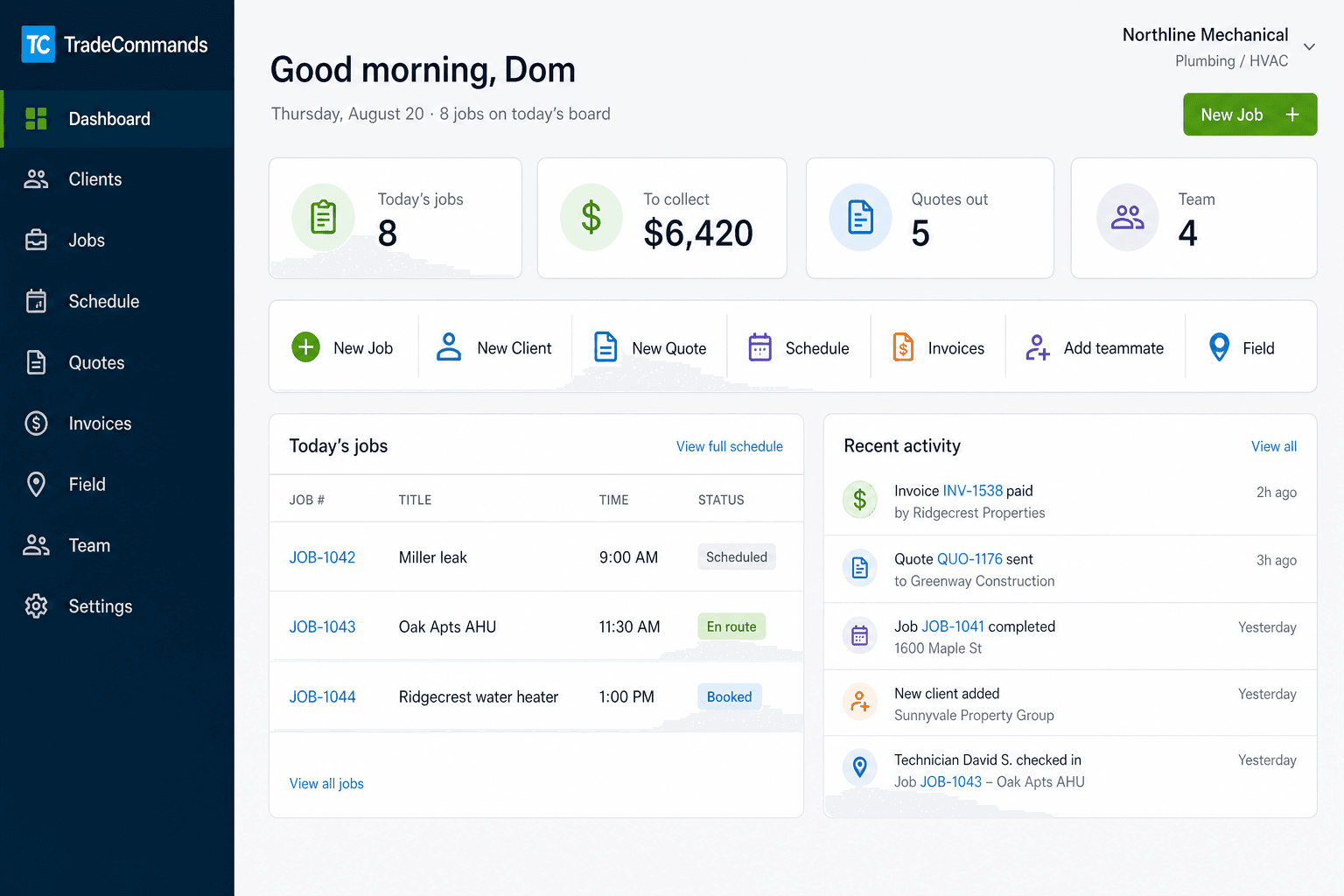
Jobs on the board, quotes waiting, money to collect, and the new tools — house file, rate book, Social Boost — one tap away.
Unit, serial, warranty, and “we were just here” on the address.
Cost next to price. Office and truck tap the same number.
Branded before/after for Instagram and Google. They don’t ship this.
Photos, notes, checklists, markup — on the job, not a camera roll.
Quote nudges and invoice chases on by default, pay link in every email.
Photo the extra. Customer taps yes. It hits the invoice before you leave.
Jobs on the board, quotes waiting, money to collect, and the new tools — house file, rate book, Social Boost — one tap away.
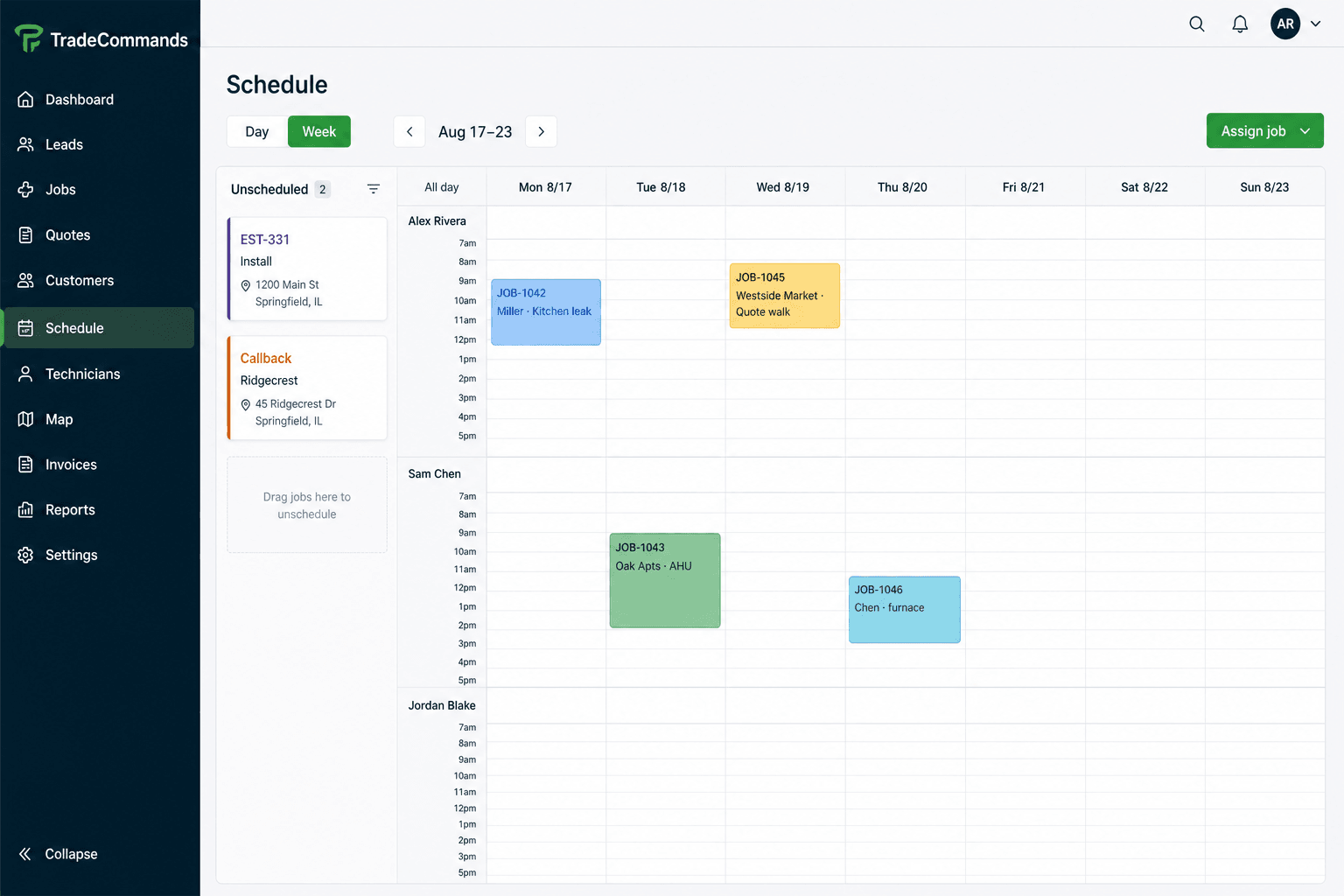
Drop work on a day, assign a tech, and see the week without a spreadsheet in the middle.
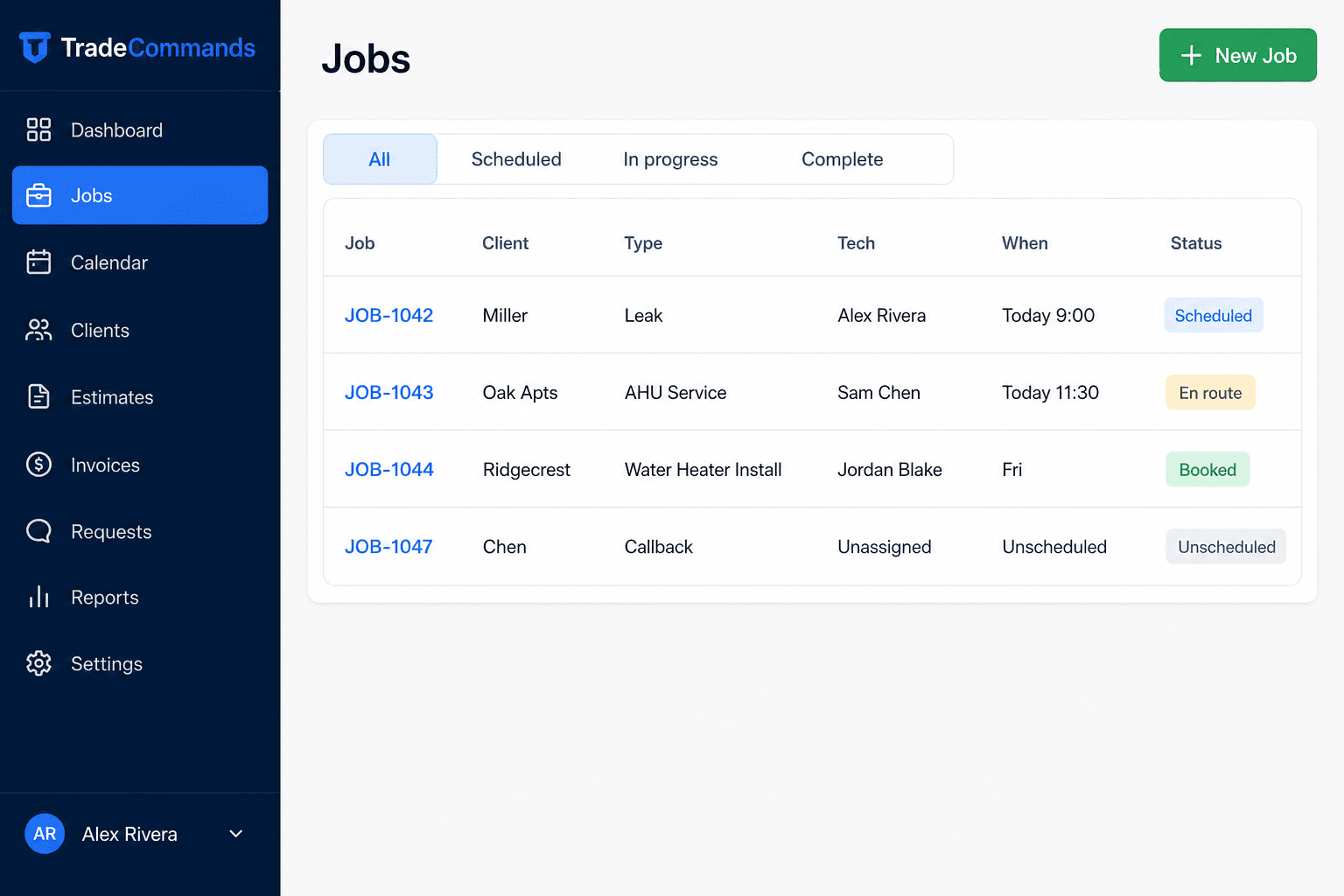
Every call and install is a record: client, property, tech, and status from booked to complete.
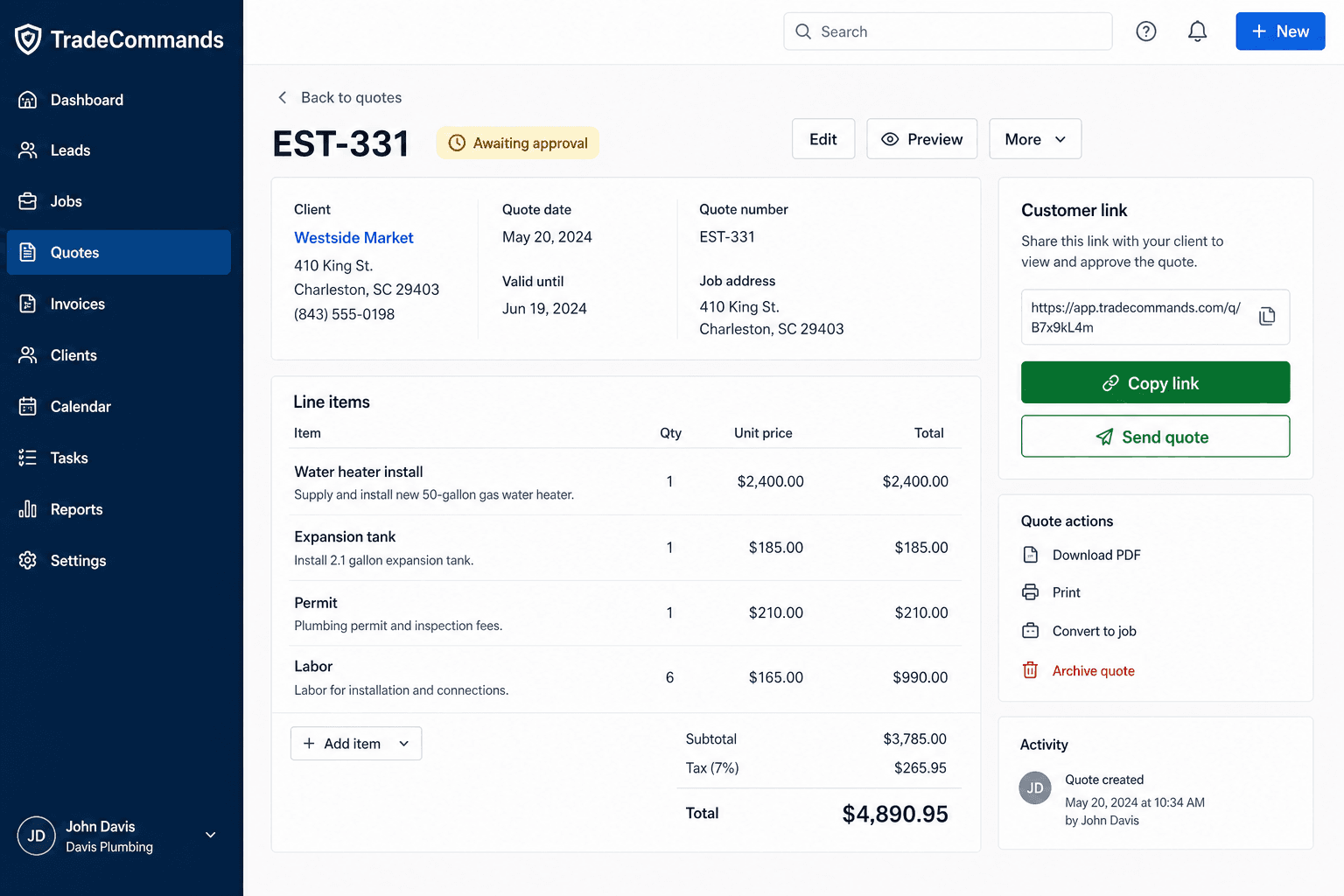
Line items from the shop rate book, a private link, and a deposit to book. The job only lands when the money clears.
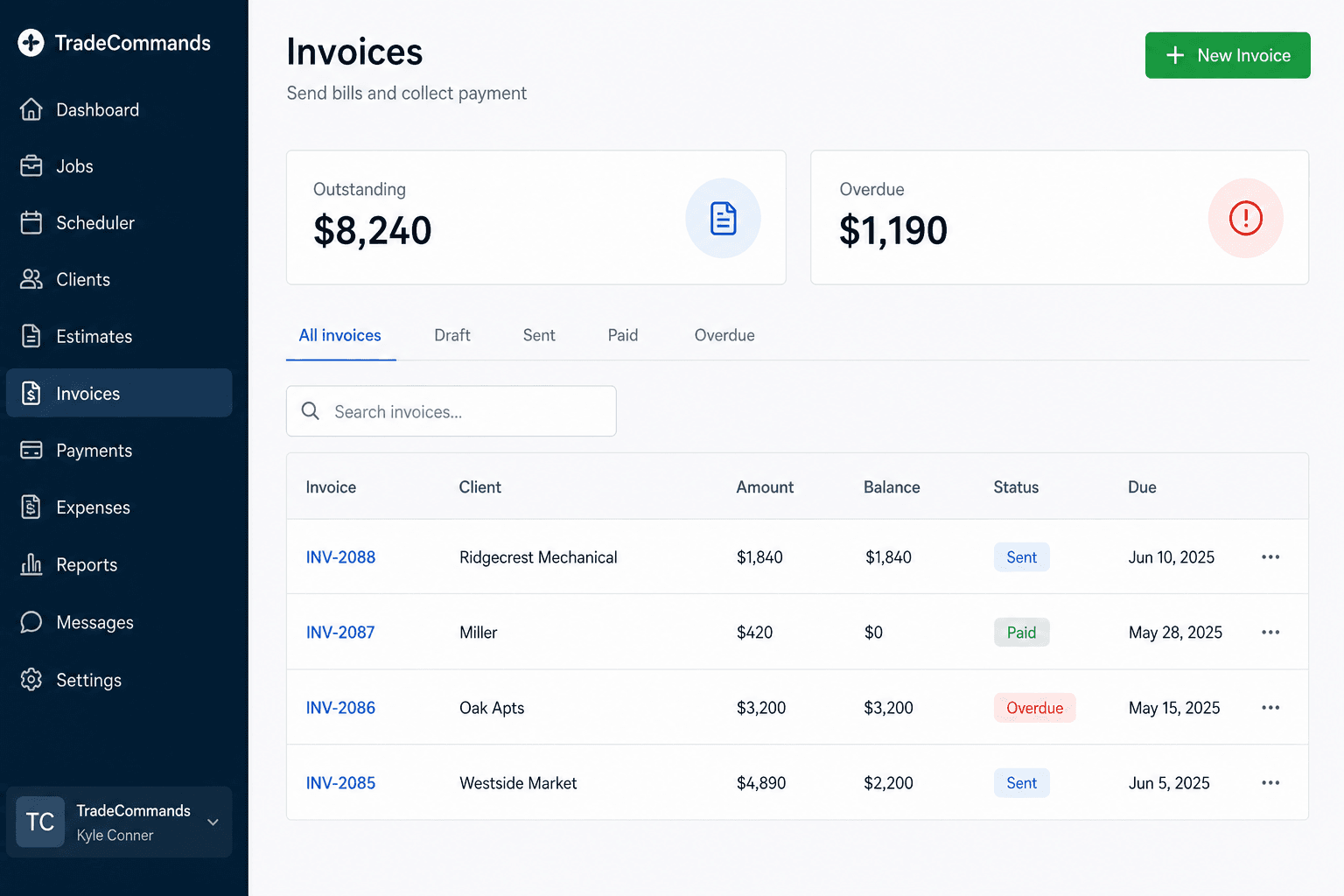
Bill the work, watch outstanding and overdue, and send a pay link from the same record.
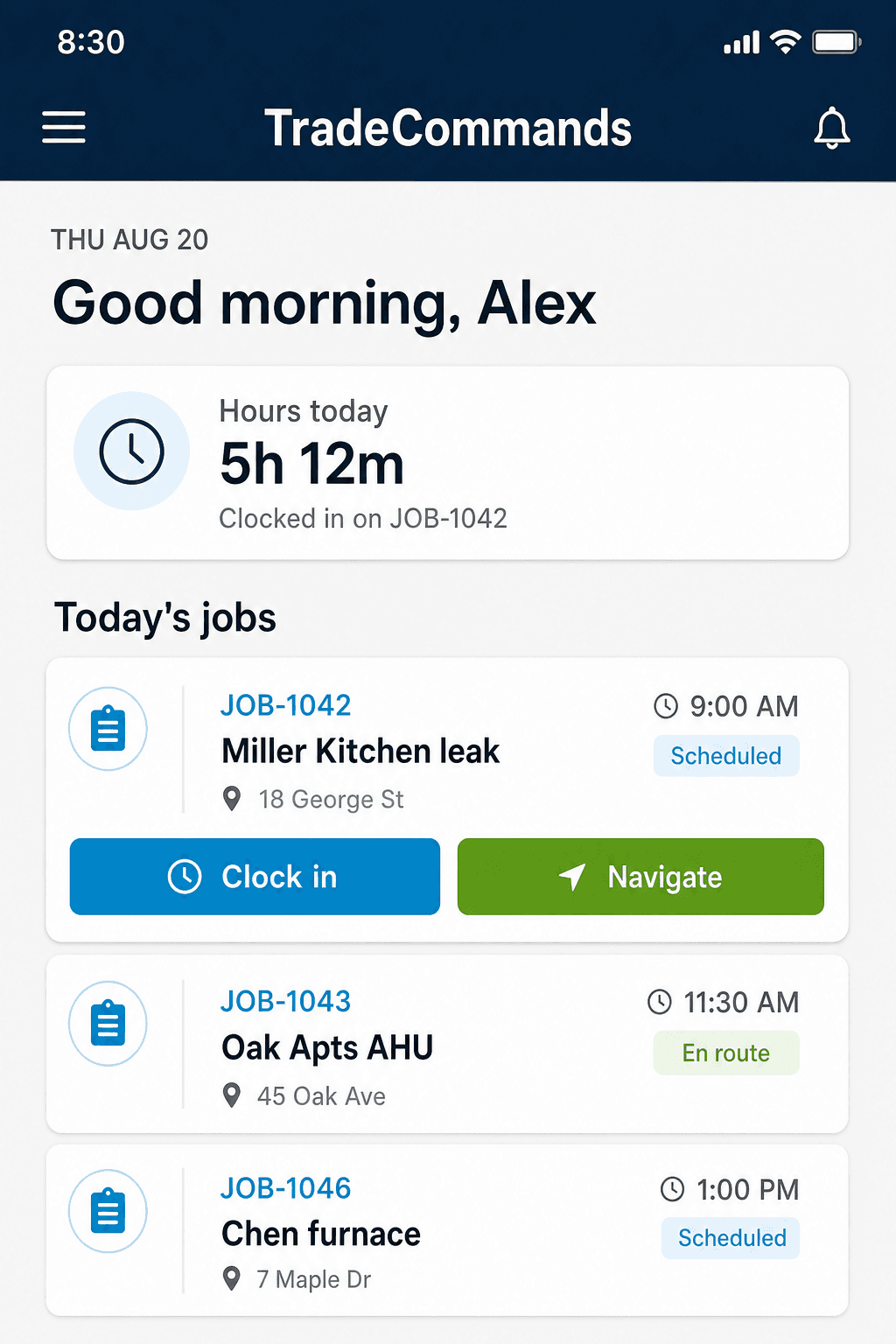
Techs see today’s jobs, clock time, shoot proof photos, and collect remaining balance before they leave.
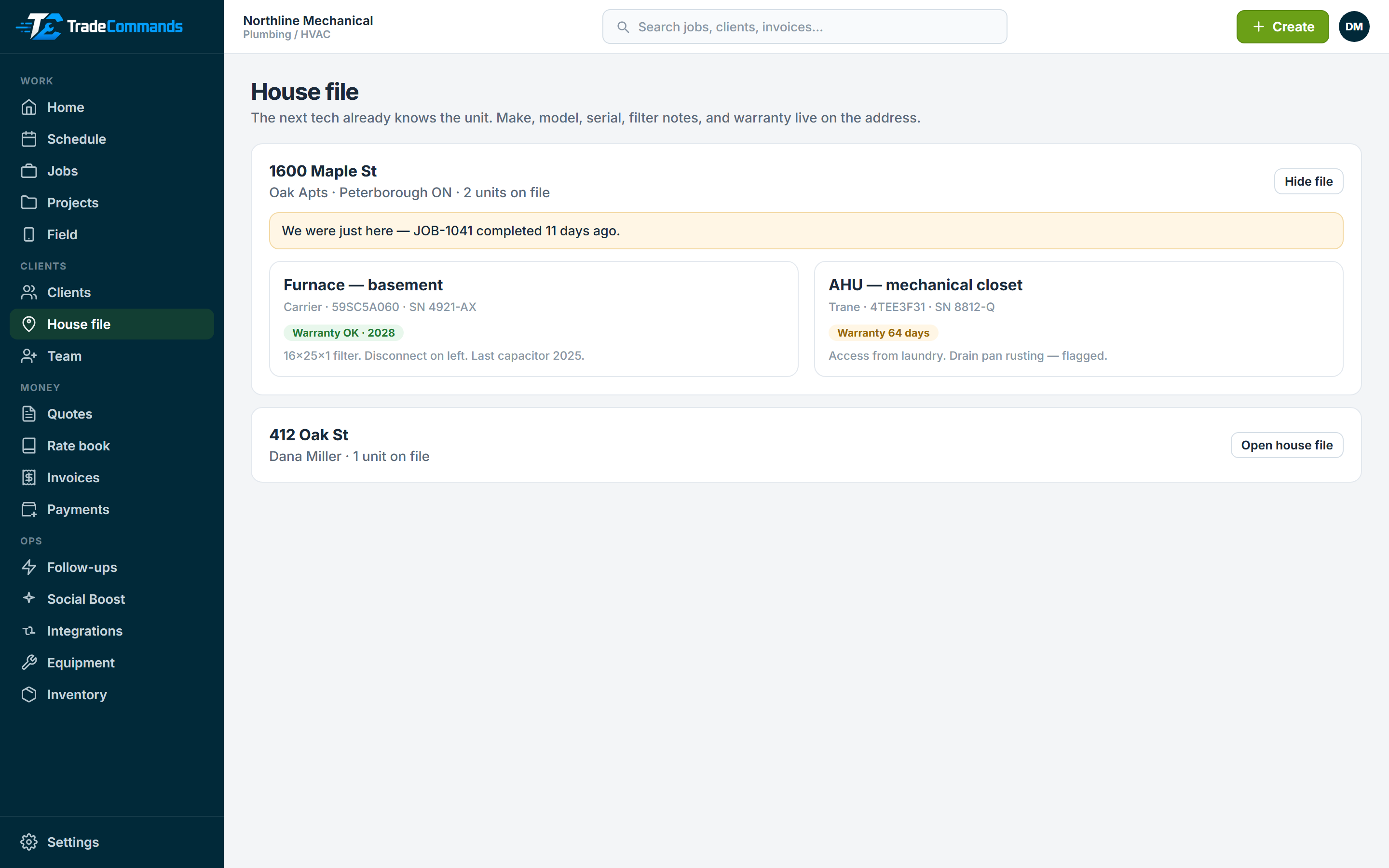
Make, model, serial, warranty, and “we were just here” live on the address — not in a tech’s notes app.
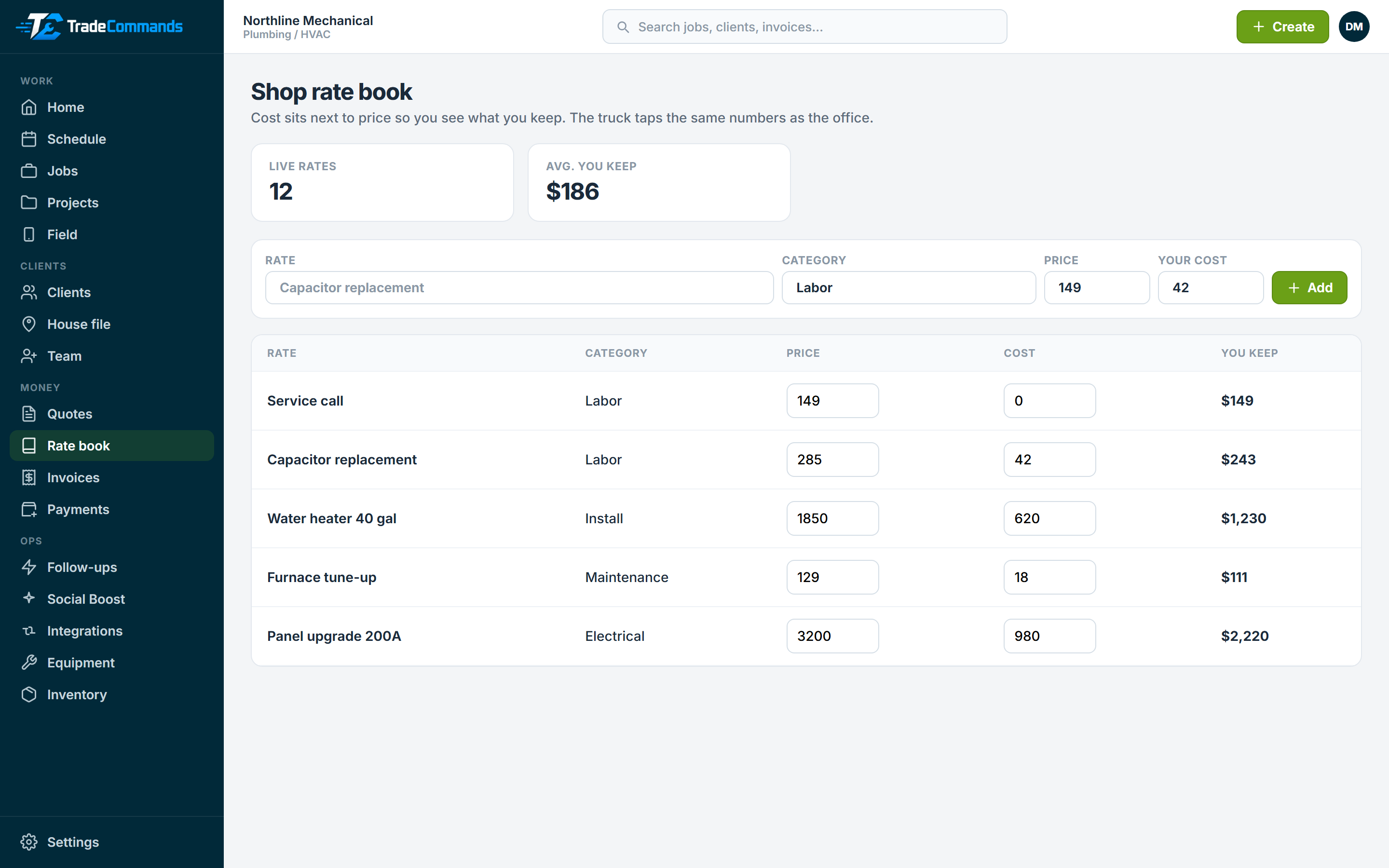
Office and truck tap the same prices. Cost sits next to price so you see what you keep on the line.
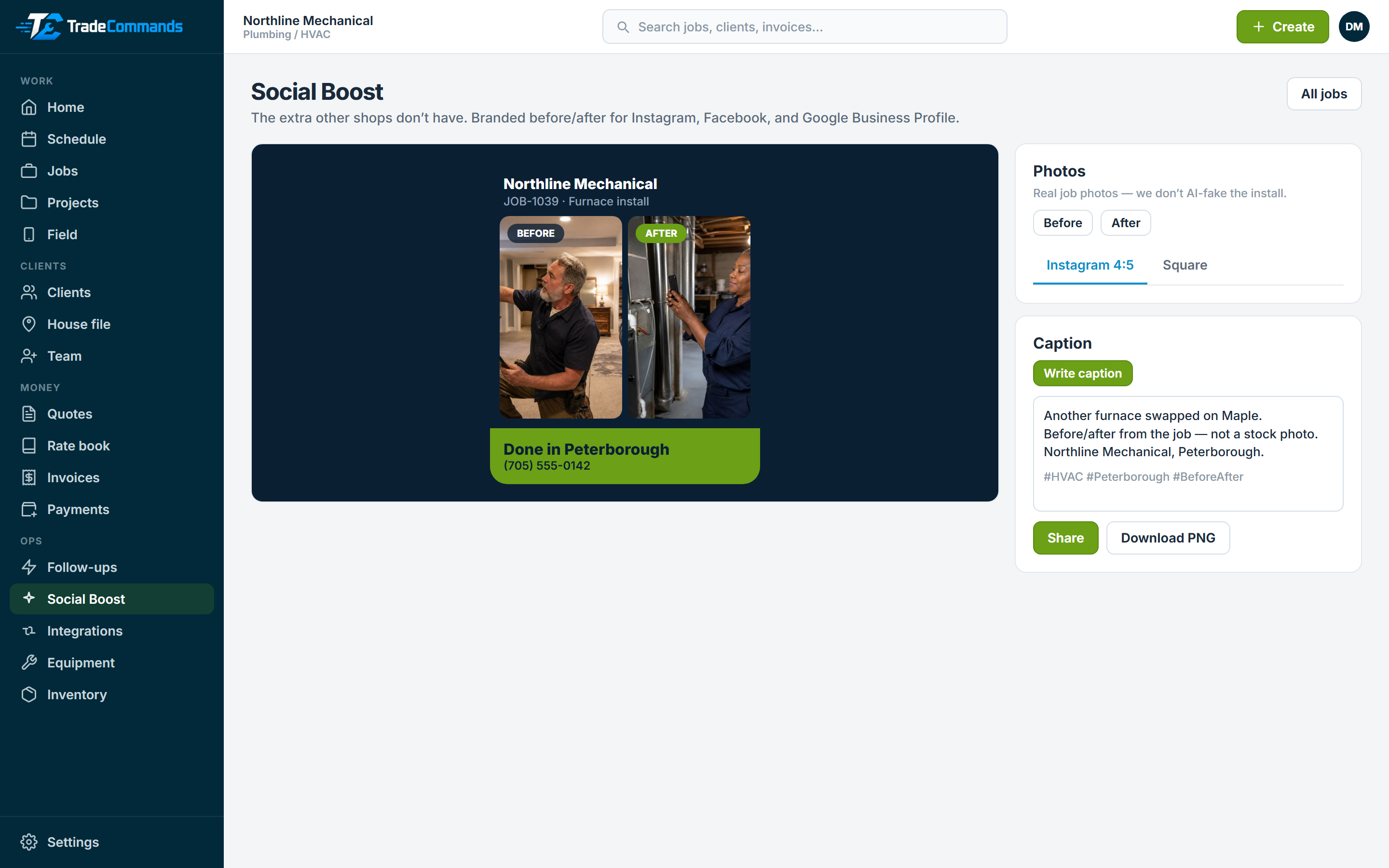
Finish the job, tap once, and you have a branded before/after for Instagram, Facebook, and Google. Jobber does not ship this.
Keep the workflow. Drop the annual contract, the mystery seats, and the six-week onboarding.
Housecall Pro and Jobber take a request. We take a card hold to your Stripe. The slot is real only when the money clears, then the customer watches booked → on the way → pay remaining.
Complete the job, photos go on the invoice, remaining balance is collected on the driveway. The work is not done while $1,800 is still open.
Starter $29 (1 user). Growth $99 (5). Pro $199 (10). Extra seats $15. Jobber Connect is $139/month for one user; Grow is $199 for one. No annual lock-in.
Customers pay you. Connect your own key, or we’ll set it up for $49. TradeCommands never sits in the middle of the deposit.
The Jobber feature shops actually keep is quote nudges and invoice reminders. Ours are on by default, and every email has the pay or tracker link — not a “just checking in.” Review asks wait until they pay.
ServiceTitan shops live on equipment at the property. Make, model, serial, warranty, and “we were just here” sit on the job and the field phone — not in a tech’s notes app.
Jobber’s price book is what estimators keep. We put cost next to price so you see what you keep, then the truck taps the same rate onto the quote.
Jobber still makes found work a second quote. Photo the extra, the customer approves on the same tracker, it hits the invoice before you leave. Punch lists live on the job — not a visit form that dies at 5pm.
Photos, notes, checklists, and markup on the job file. Insurance, callbacks, and the invoice look at the same record. Not a camera roll. Not CompanyCam on the side.
Jobber does not turn a finished install into a branded post. We do: before/after with your shop name, plus a caption for Instagram and Google Business Profile. Real photos. Optional OpenAI write. No fake furnaces.
Create an account in minutes, or book a demo and we’ll set the first quote, invoice, and Stripe key with you.
This is the post that comes off the job.
Before and after, shop name on the card, caption ready to paste into Instagram or Google. Jobber does not ship this.